Most people searching for a Zoho CRM consultant already own Zoho. Somebody set it up two or three years ago, a few more people added fields, and now the sales team keeps a spreadsheet on the side. This page is about that situation: advice on, and repair of, an existing setup. If you are bringing a team onto Zoho for the first time, that’s a different job, and we cover it on our Zoho CRM implementation page.
Signs your Zoho CRM needs a second pair of eyes
- Reps say “the CRM is wrong” and keep their own notes.
- Two people create the same customer, and nobody knows which record to trust.
- A new hire needs a week of explanation to know which fields matter.
- Reports disagree with each other, depending on who built them.
- A former employee still shows up as a record owner, or still has a login.
If three of those sound familiar, an outside review will pay for itself in fewer arguments alone.
What we usually find
| What you see | What’s usually behind it | What we do |
|---|---|---|
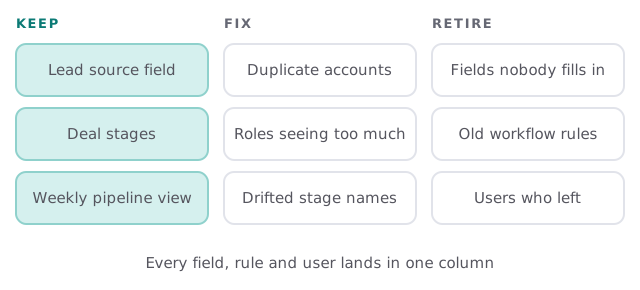
| Records visible to the wrong people | Roles and profiles set up for a team that has since changed | Redraw the hierarchy, then check each user |
| Screens crowded with fields | Years of “just add a field” requests | Move rarely used fields off the main layout, retire the dead ones |
| Duplicate contacts and accounts | No matching rule at import or on web forms | Merge the duplicates, then add the rule that stops new ones |
| Deals stuck in the wrong stage | Stage names that no longer match how you sell | Rename stages, add entry and exit conditions |
| Automations nobody remembers | Workflow rules stacked up with no list | List every rule, test it, switch off what’s stale |
Roles and profiles, the usual culprit
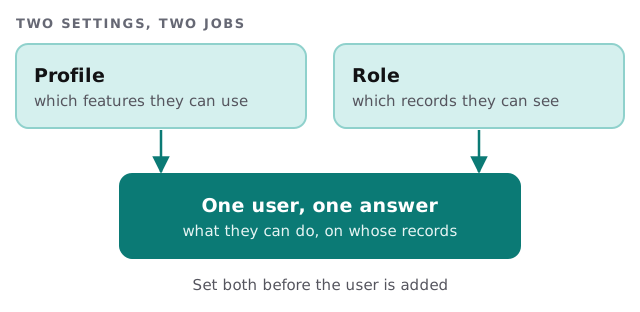
Two settings decide what each person sees in Zoho CRM, and they do different jobs. Zoho’s help center says the profile controls which features a user can access, while the role controls which records they can see, following your organization’s hierarchy. Both have to be sorted before you add or import users.
How a review runs
- Read-only first. We look at users, roles, fields, rules and reports before touching anything.
- Interview two people. One who uses the CRM daily, one who reads its reports. Their complaints decide the order of the fixes.
- Write the findings. A short list: what’s wrong, what it costs you, what we’d change first.
- Fix with your approval. Changes go in small batches, each one written down so it can be reversed.
- Hand it back. A one-page description of how your Zoho is meant to work, so the next person doesn’t undo it.
What we need from you
- An admin invitation to your Zoho account, for the review period.
- Twenty minutes with the person who reports on the CRM.
- A list of who works with the CRM today, and who has left.
- Your honest list of what annoys the team about it.
Questions to ask any Zoho consultant
- Will you change things without telling me? (The answer should be no.)
- How will I undo a change I don’t like?
- Who ends up holding the admin login when you’re done?
- Will you leave me a written description of the setup?
You can also tackle part of this yourself. Our guide to setting up Zoho CRM for your team covers users, roles and profiles, which helps you judge what you have. If you’d rather hand it to someone, we start with the free IT check, then give you a plan and a fixed quote. A real person replies within 1 business hour, Monday to Friday, 9am to 5pm Pacific.
A CRM people don’t trust gets worked around. Fix the trust first and the adoption mostly follows.