Managed IT services for law firms look like managed IT anywhere else on the invoice. The difference is the standard you’re held to. A firm’s technology choices are part of how it protects client confidences, and that duty doesn’t shrink because the firm has eight people instead of eight hundred.
The rule behind the IT
The ABA Model Rules put it in one sentence, in Rule 1.6(c): a lawyer has to make “reasonable efforts” to prevent client information from being disclosed by accident, disclosed without authority, or reached by someone who shouldn’t have it.
The duty is about effort and judgment, not a product list. Being able to explain why each safeguard fits your firm matters more than owning the most tools.
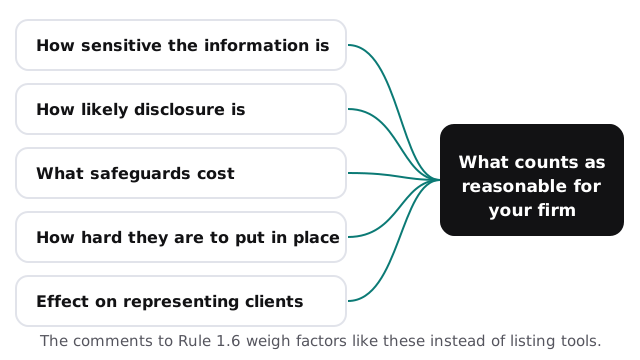
States adopt their own versions of the Model Rules, so check yours. The comments to the rule don’t prescribe particular software. They weigh factors instead: how sensitive the information is, how likely disclosure is without more safeguards, what the safeguards cost, how hard they are to put in place, and whether they get in the way of representing clients.
What reasonable efforts look like in a small firm
| Where client information lives | A reasonable effort |
|---|---|
| Multi-factor sign-in, phishing filtering, and a way to send sensitive files securely | |
| Document system | Access by matter or role, and backups that are actually test-restored |
| Practice management | Individual logins for everyone, never one shared account |
| Laptops and phones | Encrypted, and able to be locked and wiped remotely |
| Former staff | Access removed the day they leave |
| Vendors | A current list of which ones hold client data, and what they can reach |
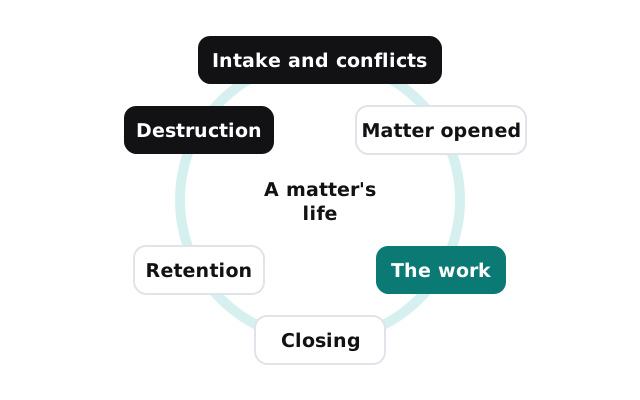
A matter’s life in your systems
- Intake and conflicts. Client details are entered once, in one place, and checked.
- Matter opened. Folders and permissions are created for the people working it.
- The work. Documents and email are filed to the matter, not to someone’s desktop.
- Closing. The matter is locked against changes.
- Retention. Files are kept for the period your policy and your jurisdiction require.
- Destruction. When the period ends, files are destroyed on purpose and the fact is recorded.
Email is where most small firms are exposed
Client confidences travel by email more than by any other route, and email is also where attackers aim. A compromised mailbox can be read quietly for weeks, and a convincing message that appears to come from a client or another firm can redirect a settlement or a retainer payment.
The defenses are unglamorous: multi-factor sign-in on every mailbox, filtering that catches lookalike domains, alerts when someone signs in from somewhere unusual, and a firm-wide habit of confirming any change to payment instructions by calling a number you already have. None of it is expensive. All of it is easier to put in place before an incident than after.
Working from home and personal devices
Lawyers read client email on phones and draft at kitchen tables. That’s normal now, and it’s manageable: firm data on phones sits inside managed apps that can be wiped without touching personal photos, laptops used for client work are firm-managed and encrypted, and nobody works client matters on a shared family computer.
Questions to ask before anyone touches client files
- Who at the provider can access our systems, and is that access logged?
- How do you handle a lost laptop on a Friday evening?
- When did you last test-restore a client’s document system from backup?
- What happens to our data if we stop working together?
- Will you put the answers in writing?
Ask us the same five. A provider that’s comfortable with the standard you’re held to will answer each one plainly.